The Landscape Looks Nothing Like Last Year
In 2023, AI lived in chat windows. In 2024, it moved into your editor. Now in 2026, AI is the core of the development workflow — from generating entire apps to refactoring codebases and, yes, occasionally breaking things with great confidence.
The tool landscape has exploded. We're not just talking about autocomplete anymore. There are AI-native IDEs, terminal agents that understand your entire repo, cloud sandboxes that submit PRs while you sleep, and vibe coding platforms where non-technical people are shipping real products. The question isn't whether to use AI for coding. It's which tool fits how you actually work.
We've been using these tools daily on real projects, and we've also been paying attention to what other developers are saying. Here's a breakdown based on actual experience — not marketing pages.
The Top Tier: Where Serious Developers Live
Cursor — Still the One to Beat
Cursor took VS Code and rebuilt it with AI at its core. You can press tab for smart completions, use Cmd+K for inline edits, or go full agentic mode where it plans and executes multi-file changes autonomously. It has four distinct modes — agent, plan, debug, and ask — so you can dial the AI involvement up or down depending on what you're doing.
The community around Cursor is massive, which matters more than people think. Just like React won partly because of its ecosystem, Cursor has the most tutorials, the most shared workflows, and the biggest knowledge base of any AI coding tool. When you hit a wall, someone's already posted about it.
Here's the thing that surprised us: even when Cursor uses the same underlying model as other tools (like Claude Sonnet 4.5), it often produces better results. That's because the agent layer on top — the tooling that decides how to read files, plan edits, and execute changes — makes a real difference. The model is the engine, but the agent is the driver.
Over half the Fortune 500 now uses Cursor. Jensen Huang said every one of NVIDIA's 40,000 engineers is on it. That's not hype — that's adoption at scale.
Pricing: Free tier available, Pro at $20/month, Business at $40/month
Best for: Any developer who wants deep AI integration without giving up control or changing how they already work.
Claude Code — The Reasoning King (When It's Not Nerfed)
Claude Code is one of the most talked-about AI coding agents right now. It understands your entire repo, loads context automatically, spawns sub-agents for parallel tasks, and can specialize in domain-specific work. You can run it in your terminal or in your IDE with the extension.
Where Claude Code genuinely shines is reasoning. For complex refactors, architectural decisions, or debugging sessions where you need the AI to actually think through the problem, Claude Code (especially with Opus 4.5) consistently outperforms. It's slower but more deliberate, and much better with long context.
But here's the honest take: Claude Code has been inconsistent lately. A few weeks ago, developers were putting it above everything else. Recently, it seems to have gotten nerfed — same model, noticeably worse output. This is the tug-of-war reality of AI tools in 2026. Claude Code will be better one week, then Cursor pulls ahead, then Claude Code catches up again.
The only real downside is that it only works with Anthropic's models. If you want model flexibility, look at OpenCode (similar concept, but connects to any provider — OpenAI, Anthropic, Google, whatever).
Pricing: Requires Claude Pro ($17/month annual) or Max (from $100/month)
Best for: Complex reasoning tasks, large refactors, debugging gnarly issues. If you're a technical developer, it's basically Cursor or Claude Code — those are your two real options.
OpenAI Codex — Most Improved Award
Codex is OpenAI's cloud-based coding agent, and it's earned the "most improved" title. It used to be underwhelming, but the latest version (built on GPT-5's codex model) has people comparing it directly to Claude Code. That's a big jump.
Unlike editor-based tools, Codex runs tasks in isolated cloud sandboxes preloaded with your repo. You describe what you want, and it writes features, fixes bugs, or proposes PRs — often in 1 to 30 minutes. The real power is parallelism: kick off multiple tasks simultaneously, each in its own environment.
Developers who've used it in Cursor report it's "pretty good" — not quite at Claude Sonnet 4.5 level for front-end work, but closing the gap fast. And with OpenAI's resources behind it, you probably shouldn't bet against them.
Codex also has a web-based version that's more accessible to non-technical users, which gives it broader reach than pure terminal tools.
Pricing: Included with ChatGPT Pro ($200/month), available for Plus ($20/month) with limits
Best for: Teams that want to offload entire tasks to an agent, and developers who want model diversity.
The Vibe Coding Tier: Building Without (Much) Code
This is where things get interesting. There's a whole class of tools now aimed at people who want to describe what they want and get a working app. Some developers dismiss these, but the numbers don't lie — people are shipping real products with them.
V0 by Vercel — The Vibe Coder's Best Friend
If you're a non-technical person picking one tool, V0 is probably your best bet. Vercel's marketplace gives you a plethora of integration options — different backends, templates, components you can reuse. Where Lovable locks you into Supabase, V0 gives you choices.
One developer we follow tried building an RSVP site for his wedding using every major vibe coding tool. At some point, all of them bricked except V0. That's a pretty strong endorsement.
The tight integration with Vercel's deployment platform means you go from prompt to production with minimal friction. And the ecosystem is only getting stronger.
Pricing: Free tier available, Pro plans from $20/month
Best for: Non-technical builders who want the most reliable vibe coding experience, and developers who want quick prototypes.
Lovable & Bolt — Solid B-Tier
Lovable focuses on generating code for a specific stack (React, Tailwind, Vite) and has recently launched Lovable Cloud, which abstracts away the painful parts — no more manually copying API keys and connecting backends. That's a big deal for non-developers.
Bolt is similar but with more flexibility in the stack — React, Vue, Svelte, Expo, and more. Both are roughly on par with each other.
The honest assessment: these are good tools that will get you a pretty page and a working prototype. But when things get complex, developers tend to migrate to Cursor or Claude Code. Think of Lovable and Bolt as great starting points, not necessarily where you'll finish.
Pricing: Both have free tiers, paid plans from $20/month
Best for: Quick prototyping, MVPs, and non-technical founders who need something working fast.
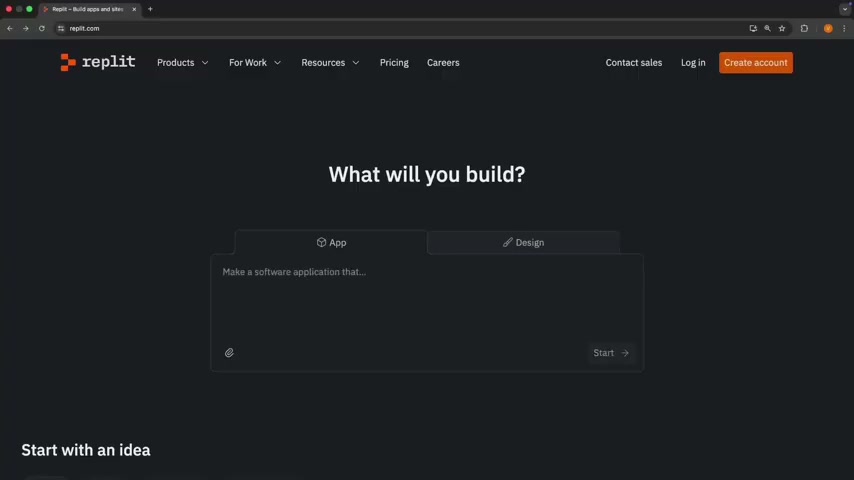
Replit — The Dark Horse
Here's a weird one: Replit has raised a ton of money, people seem to love it, but finding someone who's actually built a full product with it is surprisingly hard. They've evolved from a lightweight browser IDE into a full-stack AI development environment with two modes — a vibe code mode for quick builds and an agent mode that takes 15-20 minutes to build your app more thoroughly.
The agent mode is interesting. Instead of the instant-but-fragile approach of other vibe coding tools, Replit's agent takes its time — planning, building, testing. The output tends to be more robust.
Pricing: Free tier, paid plans from $25/month
Best for: People who want a browser-based, all-in-one environment without installing anything locally.
The Supporting Cast
GitHub Copilot
The original AI coding assistant. Still the safest choice for teams that want something that "just works" without switching editors. The integration with GitHub's ecosystem (issues, PRs, Actions) gives it a unique advantage. Not the leader anymore, but reliable.
Mobile App Vibe Coding (Vibe Code App, ROR, Anything)
There's a new class of tools specifically for building mobile apps through prompts. They're all relatively new, mostly built on Expo (React Native), and roughly B-tier right now. The mobile app space is heating up — people are making real money with relatively simple AI-powered apps distributed through TikTok and the App Store. Worth watching.
Windsurf — A Cautionary Tale
We have to talk about Windsurf (formerly Codeium). The tech was genuinely good — probably A/B tier on its own merits. But the founder left, Devin acquired the company, and trust evaporated. As one developer put it: "You are betting on the team behind the tool you're building with. When the founder ups and leaves, what confidence does that instill?"
The lesson here isn't about Windsurf specifically. It's that when you pick a tool, you're betting on a company. Follow the founders, see who you believe in, and make sure the team behind your tool is going to be there next year.
Three Pro Tips That Actually Work
These aren't theoretical — they come from developers who've burned through thousands of dollars in API credits learning the hard way.
1. Plan Before You Execute
Most developers jump straight to "build me this feature" and let the AI start coding immediately. That's a mistake. Instead, ask the AI to outline a clear step-by-step plan before writing any code. Many tools now have explicit plan modes for this (Cursor's plan mode is particularly good). A few minutes of planning up front saves you both tokens and time.
2. Teach AI Your Project Once
If you find yourself repeating the same stack, patterns, and constraints every session, you're doing extra work. Use project context files — claude.md, cursor rules, agents.md — to teach the AI your architecture, coding standards, and guardrails. Once set up, the AI loads this automatically and stays consistent without you repeating yourself.
3. Make AI Ask Questions First
Instead of letting the AI rush to an answer, force it to ask clarifying questions before generating code. This turns the interaction into real pair programming. Ask it to confirm requirements, constraints, and edge cases. This one habit alone eliminates a huge number of half-baked solutions that miss critical requirements.
Quick Comparison
| Tool | Type | Best For | Tier |
|---|---|---|---|
| Cursor | AI-native IDE | Technical developers, flexible autonomy | S/A |
| Claude Code | Terminal/IDE agent | Complex reasoning, refactors | A (volatile) |
| Codex | Cloud agent | Parallel task offloading | A- |
| V0 | Vibe coding platform | Non-technical builders, prototypes | A/B |
| Lovable | Vibe coding platform | Quick MVPs, non-technical founders | B+ |
| Bolt | Vibe coding platform | Flexible stack prototyping | B+ |
| Replit | Browser IDE + agent | All-in-one browser environment | B+ |
| Copilot | Editor plugin | GitHub ecosystem teams | B |
| Windsurf | AI-native IDE | — (trust issues) | D |
The Real Takeaway
If you're a technical developer: it's Cursor or Claude Code. That's it. You're going to be steering the wheel anyway, and these are the tools that give you the most control with the best output.
If you're non-technical and want to build something: V0 is probably your safest bet, with Lovable and Bolt as solid alternatives. But here's the mindset shift you need — software is hard. Landing pages are easy, but real software that people pay for takes time, planning, and iteration. If your app breaks after 10 prompts, welcome to software development. That's normal. Try another approach, use another tool, and keep going.
The underlying models (Claude Sonnet 4.5, Codex) are converging in quality. What differentiates tools now is the agent layer on top — how they read your files, plan changes, and execute edits. That's where the real competition is happening, and it's why the same model can produce wildly different results in different tools.
Pick a tool, learn it well, and ship something. That matters more than finding the "perfect" option.
Last updated: February 2026. We revisit this ranking monthly.